Showing posts with label Useful Stuff. Show all posts

Thursday, March 21, 2019

My ArnoldGPU (betta) test with Yeti

As a groomer, I always interest how works new render features with hair and fur, so I did the test on my Ringil workstation new version of MtoA 3.2.0, Maya 2018.5 and Yeti 3.1.7
2xXeon 2683v3 (28core all turbo 2.78Ghz) vs AORUS GTX 1080 Ti Xtreme Edition 11G, Nvidia drivers 419.35 and 419.67.


The render time with approximately the same level of grain (CPU/GPU): 4m38sec/3m34s
I understand that Arnold GPU is the betta and PeregrinLabs not yet release Yeti for new Arnold core, but: no support Maya light links, Hair shader need tweaks to "CPU" look (incorrectly solution tweaking by increasing Indirect Spec)

  "CPU" looks  (419.35 driver) 4m38sec
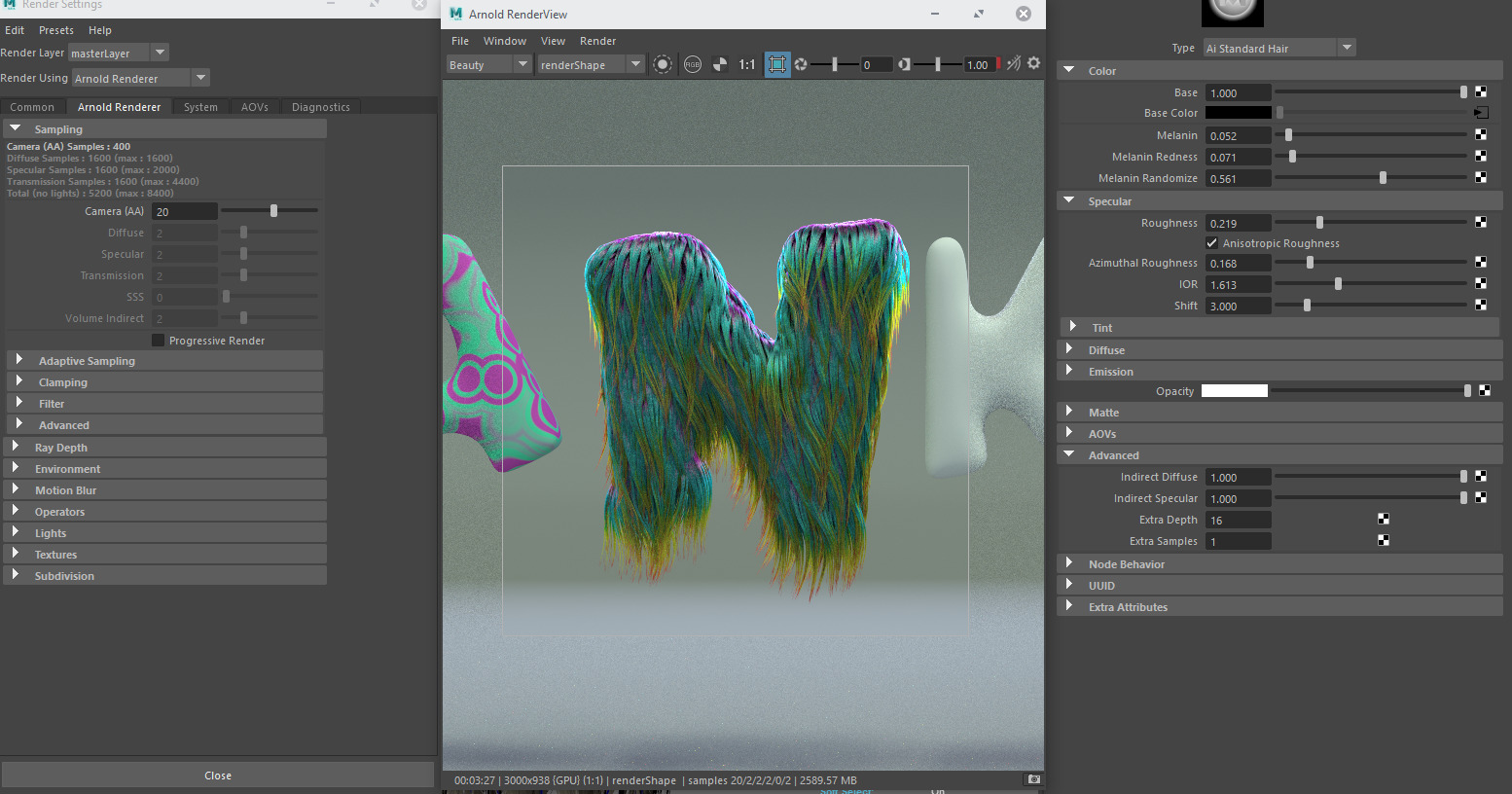
"GPU" original version (419.67 driver) 3m27sec

"GPU" corrected version  (419.35 driver) 3m34sec

After updating NVidia driver to 419.67 the render time little decrease: 3m28sec (3% faster) and after overclocked GPU on 25Mhz (from 1999.5 Mhz up to 2025) render time: 3m25sec (4.3% faster than on very first result)
Also if you have small black dots (I had this issue on 419.35 version of display driver) just reopen ArnoldRenderView

Although as for betta looks hopeful. Keep rocking Arnold Autodesk team


Thursday, March 14, 2019

Tutorial: Nontrivial use of the Shader node in Yeti 3

Short tips and tricks video about use Shader node in Yeti3
Method in action


Maya example scene (Maya 2018, Yeti 3.1.X)   

I hope this information will be useful to you

Monday, May 21, 2018

Tutorial: RGBA additive masks


A short tutorial dedicated to a very simple and very useful technique for creating RGBA additive masks

Thursday, September 14, 2017

Yeti and Arnold or V-Ray motion blur bug fix

If you need to get a working motion blur using V-Ray or Arnold and you have had such problems:

V-ray (normal/with bug)

you need to make a few changes.
If you use in your Yeti tree any expressions with Position attribute (P) then you need:
For Yeti 2.1.xx
1. for all objects from which you get P attribute you need create texture reference objects;
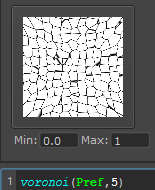
2. replace all P on Pref
For Yeti 2.2
1. the same step as for Yeti 2.1.xx
2. P -> Pundef

If you have this bug and you use VRay, then render time increase approximately x3.3

Friday, September 1, 2017

nvoglv64.dll crash Maya 2017 - Solution to the problem

If during the rendering by Arnold (using IPR Arnold RenderView) your Maya dies and the screen blinks and you find such an error


 then you need to set for Maya app. in Nvidia Control Panel: 3D Settings\Manage 3D settings:

OpenGL Rendering GPU - << select your card in list >>
Power management mode - Prefer maximum performance
Vertical sync - Use the 3D application setting
Maximum pre-rendered frames - Use the 3D application setting


in my cases it was with Maya 2017 Update 4 and Nvidia driver version 385.41

if I correctly understood this is due to the fact that during the time of work in Maya, the video card resets the frequencies and operating mode to the minimum and when the load is needed to update the viewport the driver does not have time to boost the video card and as a result the library crashes.

If this did not help you then try these methods:

  • Try to download and install other version video driver, but before install you need complete remove previous drivers and other utilities. For this task use Display Driver Uninstaller (DDU) . Also check  and uninstall Vulkan Run Time Libraries. Then install Nvidia Drivers and in custom mode select only drivers and PhysX. Do not install any Ansel and GeForce Experience 
  •  Other tips - change the Graphic device timeout in registry editor.

HKEY_LOCAL_MACHINE\SYSTEM\CurrentControlSet\Control\GraphicsDrivers

With the GraphicsDrivers key selected, on the Edit menu, click New, and then select the following registry value from the drop-down menu specific to

For 64 bit Windows
a. Select QWORD (64-bit) value.
b. Type TdrDelay as the Name and click Enter.
c. Double-click TdrDelay and add 8 for the Value data and clickOK.

or create *.reg file and paste content below

Windows Registry Editor Version 5.00

[HKEY_LOCAL_MACHINE\SYSTEM\CurrentControlSet\Control\GraphicsDrivers]

"TdrDelay"=hex(b):08,00,00,00,00,00,00,00


Monday, January 16, 2017

SeExpr Editor

Finaly! By my request awesome artist  Evgeny Grebennikov (Besha1) besha1@mail.ru  collected and modified SeExprEditor for Windows.
This is a standalone application and so useful who works with Yeti, xGen and other plugins which use SeExpr language


Download :    

Saturday, November 26, 2016

Tuesday, July 12, 2016

yetiGuideAtrr - script for quick set Yeti guides attributes

I share my script for Yeti groomers who hard work with grooming using a lot Yeti guides many times modify attributes ;) 
In Maya- copy the contents of the script and paste it into the MEL tab or create a button on the shelf 


Download :  


Friday, July 8, 2016

Convert curves (guide set) to Yeti Groom (Maya Script)

Simple script to convert any curves to Yeti Groom


To install place this script to C:\Users\__USER__\Documents\maya\scripts\
In Maya to launch script type in MEL command line or place to shelf: convCurv2GuideWind;
Usage: First created from selected curves Set. Select Curve Set than Poly object and type convCurv2GuideWind; or press button on your shelf.

Download:   

Monday, April 25, 2016

Collection of procedural in Mari

Collection of screenshots from most of the procedural layers available in Mari

http://www.davidgurrea.com/index.php/documents/mari-procedurals